After You Hand Your Portfolio to Driven, Who Can See It?

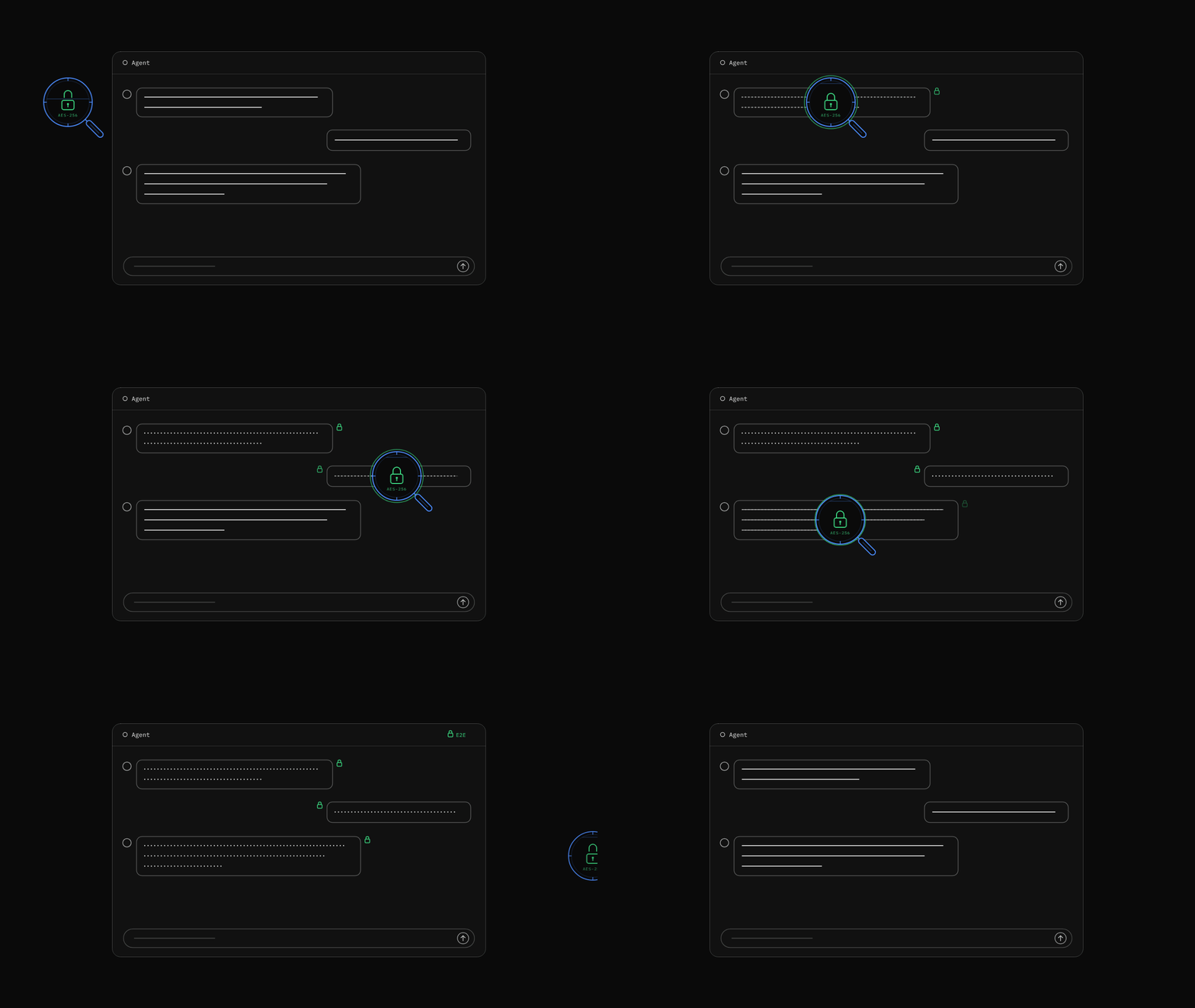
An investing AI needs enough information to give analysis that reflects your actual situation. Driven’s privacy upgrade is about reducing how much of that information gets exposed beyond what the task requires.
A portfolio analysis might start with a question like this: “I hold 300 shares of NVDA with a cost basis of $180. Am I too concentrated?” Along with the question comes a screenshot of the holdings.
It’s an everyday investing question. But it already reveals a position, a cost basis, and a hint at what you might do next. Add an account screenshot, a trade history, and a few months of conversations, and even without a name or ID number, someone could piece together a fairly complete financial profile.
So privacy in an investing AI goes well beyond whether your phone number is masked. The more practical questions are these: How much does a staff member need to see to fix an error? Can someone open your uploaded screenshot just by knowing its URL? When you share your research with a friend, does the private information behind it go along too?
Driven’s data privacy upgrade is built around exactly these scenarios. Many of the changes happen behind the scenes and require nothing to turn on, but they shape how your investment information is used, and who sees it, inside the product.
Troubleshooting without touching real holdings
When a report comes in saying “that portfolio analysis just failed,” the first things an engineer needs to figure out are usually which tool failed, at which step the data didn’t come through, and how long the response took. Answering those questions rarely requires knowing which stock you bought or how much you put in.
Driven has added data masking to its internal admin tools and the relevant backend content exports. Stock tickers, company names, amounts, figures, email addresses, phone numbers, and certain keys that its rules and dictionaries can recognize are replaced with placeholders or masks in the troubleshooting view.
For example, the question above would look roughly like this in the internal masked view: “I hold *** shares of [TICKER_ID] with a cost basis of [AMOUNT_ID]. Am I too concentrated?” This is only an illustration; the actual placeholders are generated by the system.
What matters is that the conversation isn’t wiped out wholesale. Engineers can still tell that the question is about position concentration, whether the Agent went to fetch data, and where things broke down. Within a single session, a recognized stock keeps the same placeholder, so the analysis can be traced from start to finish; in a different session, the placeholder changes, so one known conversation can’t be used to decode another.
Your original conversations and analyses still display normally in the product. Masking applies only to what’s shown during internal troubleshooting, with the goal of narrowing how much real information anyone touches while solving a problem.
Files get a different kind of protection. Through this internal troubleshooting interface, requests to read or download the contents of user files are denied outright: a holdings spreadsheet doesn’t become safe just because its filename is masked, and you can’t scramble a spreadsheet’s contents and then call it protected.
Uploading a screenshot shouldn’t mean putting it on a public shelf
You upload a screenshot so the Agent can understand what’s in it. Being analyzable shouldn’t mean the file can be opened by anyone who guesses its URL.
Driven now attaches a file-specific signature to the URLs of new attachments uploaded to protected paths. In the production design for attachment access, every request must pass verification of this signature. Knowing the storage path alone, or swapping the filename in a valid URL for another one, won’t produce valid access to a different file.
Think of it as a pass tied to one specific file: holding one doesn’t let you open every file next to it. Uploading, viewing, and Agent analysis all work exactly as before; the system takes care of the signatures.
Sharing research with fewer backend details attached
A useful analysis is often worth sending to a friend. But a conversation holds more than conclusions: it may also contain the research process, tool parameters, and holdings you only meant for your own analysis.
When you share a conversation, Driven creates a share snapshot. System messages and the model’s internal reasoning are excluded; common recognizable credentials such as keys and tokens are filtered out of message text and tool inputs and outputs by rule. Tool cards on public share pages also can’t be expanded to reveal execution details.
You can also narrow a share to part of a conversation instead of the whole session. “Share this industry analysis” and “publish my entire research process” become two different choices.
This protection has a clear limit: public sharing does not automatically hide all of your holdings and trade information. The financial masking used for internal troubleshooting and the credential filtering applied to shares are two separate safeguards. A line like “I hold 300 shares of NVDA” in your message may still appear on the share page, and private information inside screenshots and attachments falls outside what text filtering can detect.
So you still need to review the selected content before you share. Keep the research conclusions that are fit for the public; leave out private cost bases, account details, and screenshots.
Shared links can be taken back
Once information is out there, the decision doesn’t have to be permanent. Research worth sharing today may be outdated in a few days, and a link you sent to one friend may get passed along.
Driven’s Shared Links page lets you view and manage every link you’ve created, and revoke any share you no longer want to keep open. Once revoked, the link no longer serves its original content.
“Unshare” deserves a clear explanation too: it means the link doesn’t appear in any public listing, not that only the friends you choose can view it. Anyone who has the link may still be able to open it. Revoking closes the door on Driven, but it can’t pull back screenshots or copies others have already saved.
What to keep in mind day to day
Masking in internal troubleshooting, signatures on protected attachments, and filtering in share snapshots are all handled by the system. These protections are built into everyday workflows and need no extra setup.
What you do need to watch is mainly the moment of sharing: choose the scope, review the text and attachments that are about to go public, treat full attachment links as access credentials, and revoke shares you no longer need from Shared Links.
For an investing Agent to give answers that fit your actual situation, it has to understand your real investment information. Driven’s job is to put boundaries around that understanding: see as little as possible when troubleshooting, require a credential to access attachments, and let you choose what goes public and shut it off later. Letting information serve your investment research while cutting unnecessary exposure beyond the task at hand is what this privacy upgrade is for.